
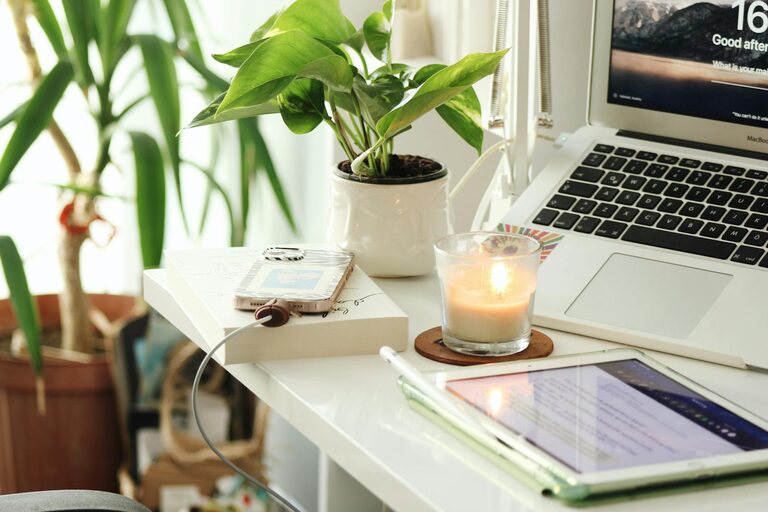

Creating a productive home workspace is essential for anyone working remotely or seeking a dedicated area to tackle personal projects. A well-designed space can boost focus, motivation, and overall work quality. Whether you have a small corner or a spare room, these tips will help you set up an environment that supports your best work.
Choose the Right Location
Start by selecting a spot in your home that minimizes distractions and suits your work style. Consider the following:
– Quiet: Opt for a location away from heavy household traffic, noisy appliances, or TV areas.
– Natural light: Position your desk near a window to benefit from daylight, which can improve mood and alertness.
– Space: Ensure there’s enough room for your work essentials and some movement.
If space is limited, even a neatly organized corner can become an effective workspace.
Invest in Ergonomic Furniture
Comfort matters when you spend hours working. Ergonomic furniture supports good posture and reduces strain.
– Chair: Choose an adjustable chair with good lumbar support.
– Desk: Ensure the desk height allows your arms to rest comfortably at about a 90-degree angle.
– Screen placement: Position your monitor at eye level and about an arm’s length away to reduce neck and eye strain.
Adding a footrest or wrist supports can also enhance comfort.
Organize Your Workspace
A clutter-free desk helps maintain focus. Use these strategies to keep organized:
– Storage solutions: Use drawers, shelves, or boxes to store supplies out of sight.
– Cable management: Tidy up cords with clips or cable sleeves to reduce distractions.
– Minimalism: Keep only the essentials on your desk, such as your computer, notebook, and a pen.
Regularly declutter and clean your workspace to maintain its functionality.
Optimize Lighting
Good lighting reduces eye strain and increases energy.
– Natural light: As mentioned, natural light is best. Use blinds to control glare.
– Task lighting: Use a desk lamp with adjustable brightness for detailed tasks.
– Ambient lighting: A well-lit room prevents harsh contrasts that can tire your eyes.
Choose bulbs with daylight or soft white tones to create a comfortable atmosphere.
Personalize Thoughtfully
Adding personal touches can make your workspace inviting, but avoid overcrowding.
– Plants: Small indoor plants improve air quality and add a calming element.
– Artwork or photos: Select a few inspiring visuals.
– Comfort items: Consider a cozy blanket or a favorite mug to make breaks enjoyable.
Balance personality with professionalism, especially if you attend video calls from your workspace.
Establish Boundaries
Set clear limits between work time and personal life:
– Designate work hours: Define start and finish times to avoid overworking.
– Use signals: A closed door or specific desk setup can indicate when you’re working.
– Communicate: Let family or housemates know your schedule to minimize interruptions.
Creating these boundaries supports better concentration and work-life balance.
Incorporate Technology Wisely
The right tools can enhance productivity but avoid tech overload.
– Reliable internet: Ensure your connection is fast and stable.
– Essential devices: A quality headset, webcam, and mouse/keyboard can improve efficiency.
– Software: Use apps and tools for time management, note-taking, and project tracking.
Regularly update and maintain your equipment to prevent issues.
Take Breaks and Move
A productive workspace isn’t just about your setup but also your habits.
– Short breaks: Take 5–10 minute breaks every hour to rest your eyes and stretch.
– Movement: Incorporate standing, stretching, or short walks to stay energized.
– Hydration and snacks: Keep water and healthy snacks nearby.
These habits prevent burnout and keep your mind fresh.
—
Creating a home workspace that promotes productivity is a blend of thoughtful setup and practical habits. By paying attention to location, comfort, organization, and boundaries, you can build an environment that supports your best work every day. Experiment with these tips to find what works best for you, and enjoy the benefits of a focused, comfortable workspace at home.