
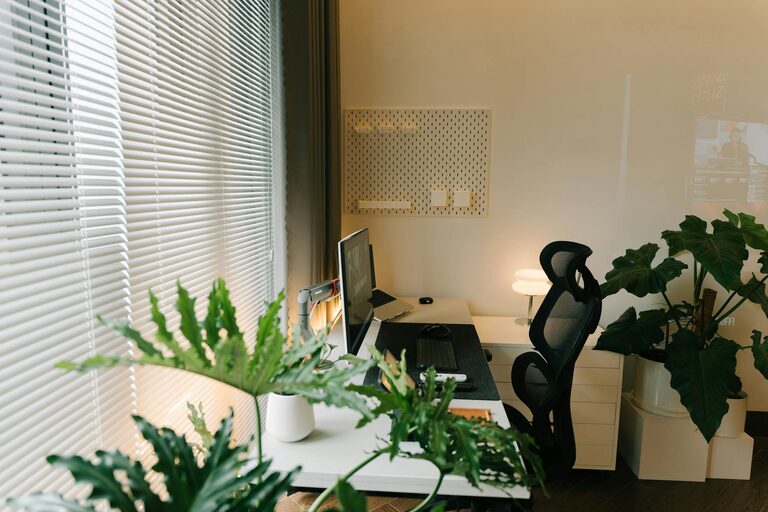

Creating a cozy and functional home office space is essential for anyone working from home or managing tasks remotely. A well-designed workspace can improve your focus, increase productivity, and make working from home more enjoyable. In this post, we’ll explore practical tips that combine comfort with functionality to help you set up a home office that meets your needs.
1. Choose the Right Location
Selecting the best spot in your home for your office is the first step. Ideally, pick a quiet area with minimal distractions. This could be a spare room, a corner in the living room, or even a section of your bedroom.
Consider natural light
Natural light can boost mood and energy levels. Place your desk near a window if possible, but avoid direct glare on your computer screen. If natural light is limited, invest in good quality artificial lighting that mimics daylight.
2. Invest in Comfortable and Ergonomic Furniture
Your office should support your health and comfort, especially if you spend long hours working.
– Desk: Choose a desk with enough surface area for your computer, paperwork, and any other essentials.
– Chair: An ergonomic office chair with lumbar support encourages good posture and reduces strain.
– Adjustability: If possible, use a sit-stand desk or accessories like a monitor stand and keyboard tray to adapt your setup.
3. Organize and Declutter Your Space
A tidy workspace can help maintain focus.
– Use shelves, drawers, or storage boxes to keep supplies and documents organized.
– Keep only the essentials on your desk to minimize distractions.
– Use cable management tools like clips or sleeves to keep cords neat.
4. Add Personal and Cozy Touches
Making your space inviting helps you feel relaxed and motivated.
– Incorporate soft textures like a cozy rug or cushions.
– Add plants to bring a touch of nature indoors—they improve air quality and lift spirits.
– Display artwork or photos that inspire you.
5. Optimize Lighting for Comfort and Productivity
Good lighting reduces eye strain and creates a pleasant atmosphere.
– Combine ambient lighting with task lighting—for example, use a desk lamp alongside ceiling lights.
– Choose bulbs with a color temperature between 4000K and 5000K for balanced, natural light.
– Consider adjustable lamps that let you control brightness.
6. Control Noise and Enhance Focus
Noise can be distracting, so consider sound control options.
– Use noise-canceling headphones if your environment is noisy.
– Add soft furnishings like curtains, rugs, or acoustic panels to absorb sound.
– Play ambient music or white noise if it helps your concentration.
7. Set Up Technology Efficiently
Make sure your tech setup supports your workflow.
– Position your monitor at eye level about an arm’s length away.
– Use wireless accessories if possible to reduce clutter.
– Ensure a strong, stable internet connection.
8. Maintain a Routine and Keep Your Space Fresh
Once your office is set up, keep it organized and inviting.
– Spend a few minutes each day tidying up.
– Open a window regularly to refresh the air.
– Change or add new décor items occasionally to keep your space inspiring.
—
Creating a cozy and functional home office is about balancing comfort with productivity. By thoughtfully arranging your workspace, investing in ergonomic furniture, managing clutter, and adding personal touches, you can build an environment that supports your work and wellbeing. Take small steps to improve your space, and enjoy the difference it makes in your day.