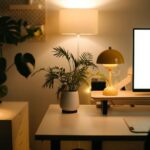

Creating an effective home office space is key to maintaining productivity and comfort while working remotely. With the right setup, you can reduce distractions, stay organized, and foster a work environment that helps you perform at your best. Whether you have a dedicated room or a small corner, these tips will guide you in designing a home office that suits your needs.
Choose the Right Location
Selecting the perfect spot for your home office is the first step. Consider the following:
– Quiet Area: Pick a space away from high-traffic areas or noisy appliances.
– Natural Light: A spot near a window improves mood and reduces eye strain.
– Privacy: Ensure you have privacy for calls or focused work.
– Space: Make sure there’s enough room for your desk, chair, and storage solutions.
If you don’t have a spare room, try to create a designated area where you can leave your work materials undisturbed.
Invest in Comfortable Furniture
Comfort plays a big role in your productivity. Prioritize ergonomic furniture to support your posture and reduce discomfort.
– Ergonomic Chair: Choose a chair with adjustable height, lumbar support, and comfortable cushioning.
– Desk: Select a desk with adequate surface space. If possible, consider a standing desk or adjustable desk.
– Monitor Stand: A monitor at eye level helps prevent neck strain.
– Keyboard and Mouse: Use ergonomic accessories to minimize wrist fatigue.
Comfortable seating and proper desk height can prevent back pain and help you maintain focus during long work sessions.
Optimize Lighting
Good lighting reduces eye fatigue and creates a pleasant atmosphere.
– Natural Light: Maximize daylight by placing your desk near windows, but avoid glare directly on screens.
– Task Lighting: Use a desk lamp with adjustable brightness for focused work.
– Ambient Lighting: Soft room lighting in the evenings can reduce harsh contrasts.
Avoid working in dim or overly bright rooms, and consider using light bulbs with a color temperature similar to daylight for a natural feel.
Keep Your Workspace Organized
An organized workspace promotes concentration and efficiency.
– Declutter Regularly: Keep only essential items on your desk.
– Storage Solutions: Use shelves, drawers, or filing cabinets to keep documents and supplies tidy.
– Cable Management: Use clips or ties to keep cords neat and prevent tangles.
– Use Organizers: Desk trays, pen holders, and drawer dividers can help keep small items organized.
A clean and orderly desk helps you quickly find what you need and reduces stress.
Personalize Your Space
Adding personal touches can make your office more inviting and boost motivation.
– Decor: Choose art, plants, or photos that inspire you.
– Color Scheme: Use colors that create a calm and focused environment, such as soft blues or greens.
– Comfort Items: Include a cozy rug, cushions, or a small fan to make the space pleasant.
Personalization should enhance, not distract from, your work.
Minimize Distractions
Managing distractions is crucial when working from home.
– Set Boundaries: Let family or housemates know your work hours to reduce interruptions.
– Use Noise-Canceling Headphones: Especially useful in shared or noisy environments.
– Manage Technology: Turn off unnecessary notifications and keep your phone out of reach if not needed.
– Create a Routine: Establish regular working hours to build structure.
Implementing these strategies helps maintain focus and a professional mindset.
Incorporate Technology Wisely
Technology can support your productivity if used thoughtfully.
– Reliable Internet: Ensure you have a stable connection for video calls and research.
– Efficient Devices: Use a computer and accessories that meet your work requirements.
– Software Tools: Utilize apps for task management, communication, and collaboration.
– Backup Plans: Have alternatives like mobile hotspots in case of connectivity issues.
Keeping your technology up to date avoids frustration and downtime.
Take Breaks and Move
A productive home office space also encourages healthy habits.
– Scheduled Breaks: Use timers or apps to remind you to take short breaks.
– Stretching: Stand up, stretch, or walk around to prevent stiffness.
– Hydration: Keep water nearby to stay hydrated.
– Eye Care: Follow the 20-20-20 rule—every 20 minutes, look at something 20 feet away for 20 seconds.
Integrating breaks enhances focus and overall well-being during work hours.
Final Thoughts
Designing your home office with these tips helps create a space that supports your productivity and comfort. Remember, your workspace should work for you — feel free to adjust and improve your setup over time. A thoughtfully arranged home office can make working from home more enjoyable and effective.
Start small, be consistent, and enjoy the benefits of a productive workspace right in your home!